A workplace messenger: conversations, tasks, calls and a calendar in one workspace
A task links back to the message it came from. A meeting summary points to a timecode in the recording. A month on, you can see who decided what.
Working prototype
Working today: channels and messaging, tasks, a calendar and files, calls with consented recording, meeting transcripts and summaries tied to timecodes, an org structure with delegated management, and outbound webhooks with a log. Next: checks with real providers and a pilot inside a company. Scope of work: section 07.
Summary
- Discussion happens in chat, the task sits in a tracker, approval goes by email. One decision is spread across three systems.
- A month later, no one can show where it was taken or how it ended.
- ChatX links the conversation, meeting, decision, task and outcome: each step refers back to the one before.
01 — Diagnosis
The decision lives in the conversation; the task answers for it
Work runs across three or four services. Each does its own job, and nothing connects them.
-
A gap between conversation and task
The decision is taken in discussion and logged separately in the tracker. Only the person who created the task knows the link.
-
A meeting leaves no trace
Agreements stay in participants’ memories. A month later, a dispute over the wording of a decision cannot be settled.
-
Access follows chats, not structure
Access depends on which chats a person has been added to. The company’s structure changes; access stays the same.
Result: the company cannot reconstruct how a decision was reached, and repeats the mistake in the next cycle.
02 — Approach
One graph instead of four services
-
A link, not a copy
A task is created from a message and keeps a link to it. A meeting summary leads to the exact second of the recording. Nothing is carried over by retelling.
-
The server checks permissions
Access is set by a person’s role in the company structure, not by who is in a chat. The interface does not decide what to show.
-
Consent and human confirmation
Recording starts only with every participant’s consent. No task is created automatically: the system suggests, and a person decides.
03 — System class
Between a messenger and a task tracker
Today, teams stitch their work together from three classes of product: messengers (Slack, Telegram), task trackers (Jira, Asana, Linear) and meeting-recording services (Otter, Fireflies, Zoom AI Companion). Each covers its own part and is not connected to the others.
The ChatX column shows the intended scope; readiness is in section 07. Linking a decision to its task and recording is the reason the product exists: none of the three classes covers it.
04 — Scope
From decision to accepted outcome
Each step refers to the previous one, so the chain can be walked back from the outcome to the conversation.
- Conversation
- Meeting and recording
- Decision
- Task
- Execution
- Confirmation
- Acceptance of the outcome
05 — Org structure
The company is a tree, not a staff list
In most services, job title and department are text fields in a profile and have no effect on permissions.
-
Departments as objects
Company, department, division and team are nodes in a tree up to six levels deep, not a caption under a name.
-
Responsibility is assigned
Every node has an owner and someone who changes its membership. Delegation is a separate permission.
-
Structure sets visibility
A closed department is visible only to its members; the membership of a branch is changed by the assigned manager or a delegate.
06 — Interface
What it looks like
The screenshots come from the current build. Phone comes first; on a computer the same flow appears in a denser layout.
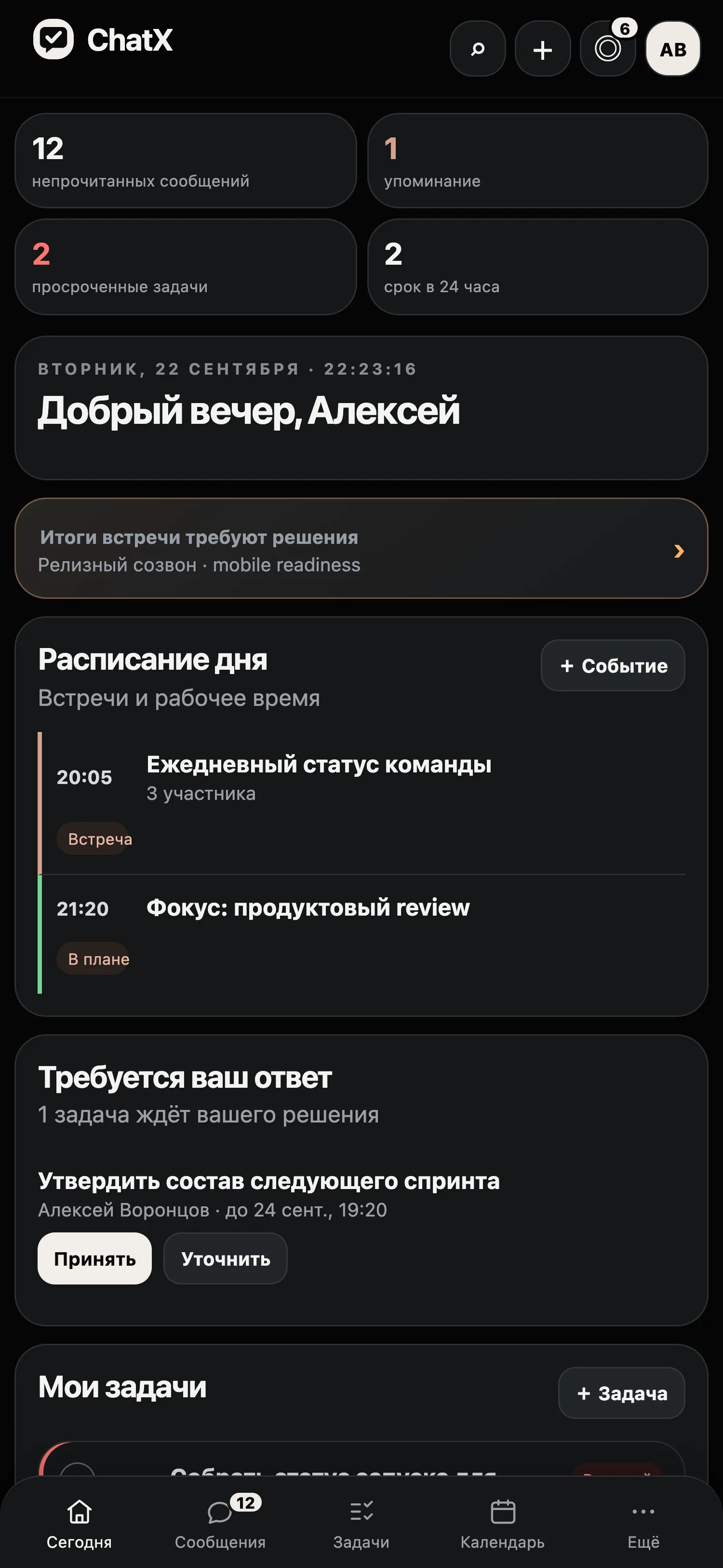
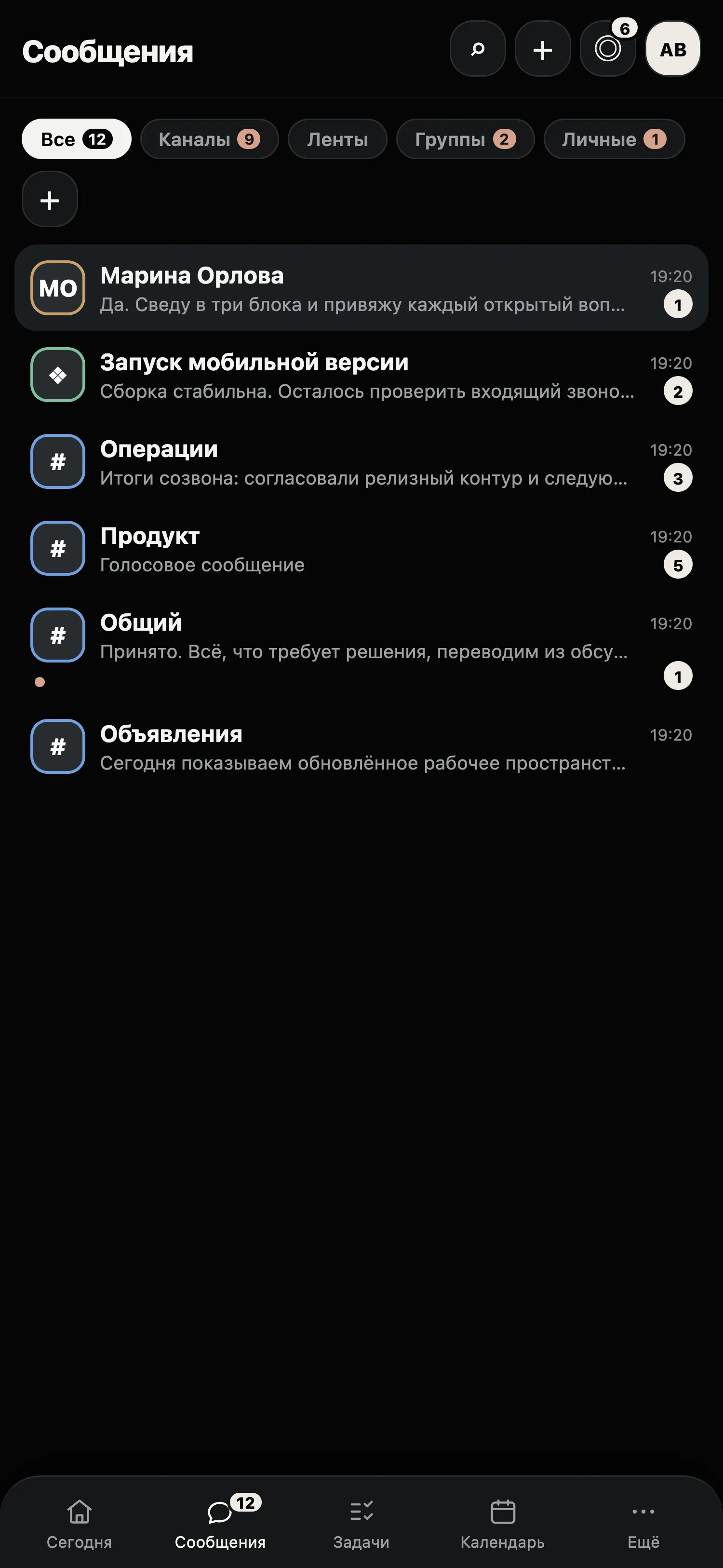
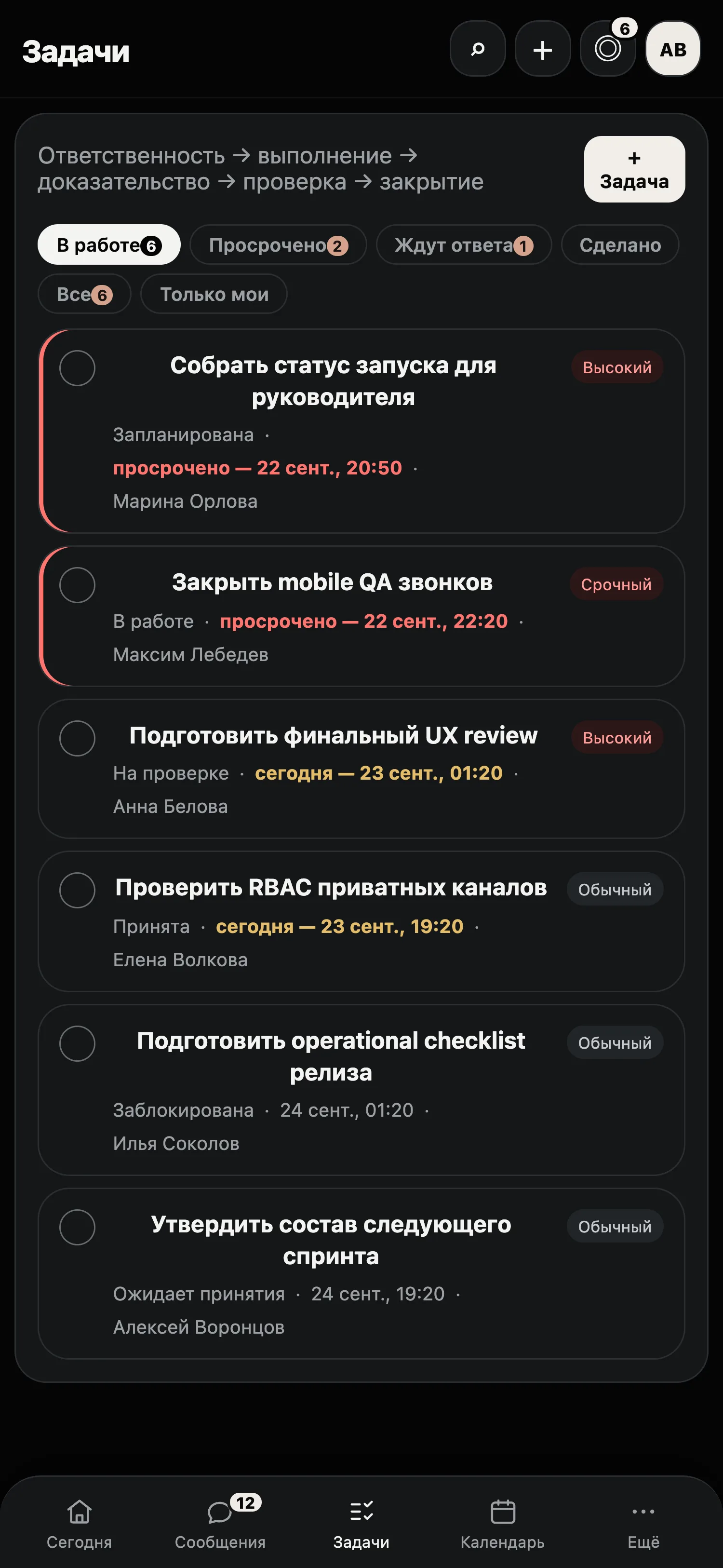
Tap a screenshot to open it full screen and flick through the rest.
07 — Stage
Working prototype, preparing for a pilot
08 — Participation
Three ways to take part
I provide access to the system, migration of structure and data, and priority in the development queue.
I expect part of your real work to run in the system, and feedback as you go rather than at the end.
I show the system’s architecture and the roadmap in person, under a non-disclosure agreement.
09 — FAQ
Frequently asked questions
- How is this different from a messenger plus a tracker?
- The link. A task keeps a reference to the original message, and a meeting summary points to a timecode in the recording. A pair of separate services has no such link.
- How does consent to record meetings work?
- Recording starts only with every participant’s consent. Summaries and decisions are drawn from the transcript; a task is created only after a person confirms it.
- Do we have to move all our work at once?
- No. You can start with one department or project; the rest of the work stays in your existing systems.
- What about integrations?
- Built: outbound webhooks (signed, with retries and a log), API keys, a Telegram bridge and a one-way calendar subscription (.ics). The Telegram bridge has been tested against a simulated API, not yet on a real bot. Slack and Teams adapters and two-way calendar sync come next; we agree the order of connection to suit your company.
- How is ChatX related to Syntha?
- ChatX is a standalone product with its own codebase, data and users. The two systems are independent.
- What does the in-chat AI assistant do?
- It condenses the latest messages of a conversation into a short overview and suggests up to three replies. A suggestion goes only into the input field and is never sent without a person’s decision. It has not yet been tested with a real AI provider.
- Can I see a demo?
- Yes, on the current build of the prototype.
Contact
Tell me which format interests you: early access, rollout or investment. I reply personally.