Renovation under control
Estimate, stages, payments and a chat with the crew in one app. Payment is tied to a signed-off stage.
MVP, preparing a closed test
Built: versioned estimates, stages with sign-off and photo evidence, stage payments, disputes and variation orders, chats and a notification centre, client, contractor and guest roles, project participant management, an offline mode with an action queue. Receipt and self-employed status checks via the Federal Tax Service are built and covered by tests; live verification awaits keys. Scope of work: section 07.
Summary
- The estimate drifts from actual costs, and overspend surfaces only at the end.
- The contractor’s status goes unchecked, and no one is accountable for the result.
- Renova brings together the estimate, stages, payments and chat. Every action recalculates the figures instead of relying on what each side remembers.
01 — The problem
Renovations run on chat threads, and no one is accountable
The economics of a renovation are never in one place: the estimate in a file, the conversation in a messenger, the receipts in a pile.
-
The estimate drifts from actual costs
The estimate is kept apart from purchasing and payments. The gap builds up unnoticed and comes to light at the end.
-
Payment is not tied to results
Payment follows a verbal agreement rather than a signed-off stage. What exactly was paid for cannot be checked later.
-
The contractor’s legal status is unconfirmed
Self-employed or sole-trader status is taken on trust and, as a rule, not checked at the time of payment.
-
Whether a stage is finished is a matter of trust, not fact
The crew and the client mean different things by “done”, and there is no shared confirmation. Photos, if any, stay in a phone gallery, not linked to a stage or date.
Outcome: the client learns the real cost of the renovation only after the money has been spent.
02 — The principle
Every action recalculates the figures
-
The estimate is a state, not a document
Every change to the estimate is saved as a new version. You can see what changed, when, and why the plan departed from actual costs.
-
Payment is tied to sign-off
A stage payment is confirmed only after sign-off, with photo evidence and confirmation from both sides.
-
Checks go to official sources
Receipts and self-employed status are checked via the Federal Tax Service, not on the contractor’s word. The check is built and tested; live mode awaits keys.
03 — System class
A place between the group chat and the contractor’s accounting system
Private renovations are run in one of three ways: a spreadsheet with receipts, a group chat with no single version of the estimate, or the contractor’s own accounting system (1C, a site manager’s software), closed to the client. None of them shows the client the full economics of the project.
The Renova column shows the intended scope; readiness is described in section 07. None of the three usual methods checks the receipt or the contractor’s status.
04 — Scope
From estimate to signed-off result
Each step builds on the last: a stage payment cannot be confirmed before sign-off, and the estimate cannot be changed unnoticed.
- Estimate
- Version approval
- Work on the stage
- Photo evidence
- Sign-off
- Payment
- Next stage
05 — Roles
Client and contractor each get their own screens
The client and the contractor see the same site, but each sees their own part.
-
Client
Sees the whole estimate, its versions and deviations, stage status and payment history. Signs off a stage or rejects it with a comment.
-
Contractor or crew
Runs their own area: photographs the stage, requests sign-off and confirms receipt of payment.
-
Renovation company
Tests the approach across a portfolio of sites: several estimates and crews in parallel.
06 — Interface
What it looks like
The screens are captured from a working build. The phone comes first: renovations are run on site, not at a desk.
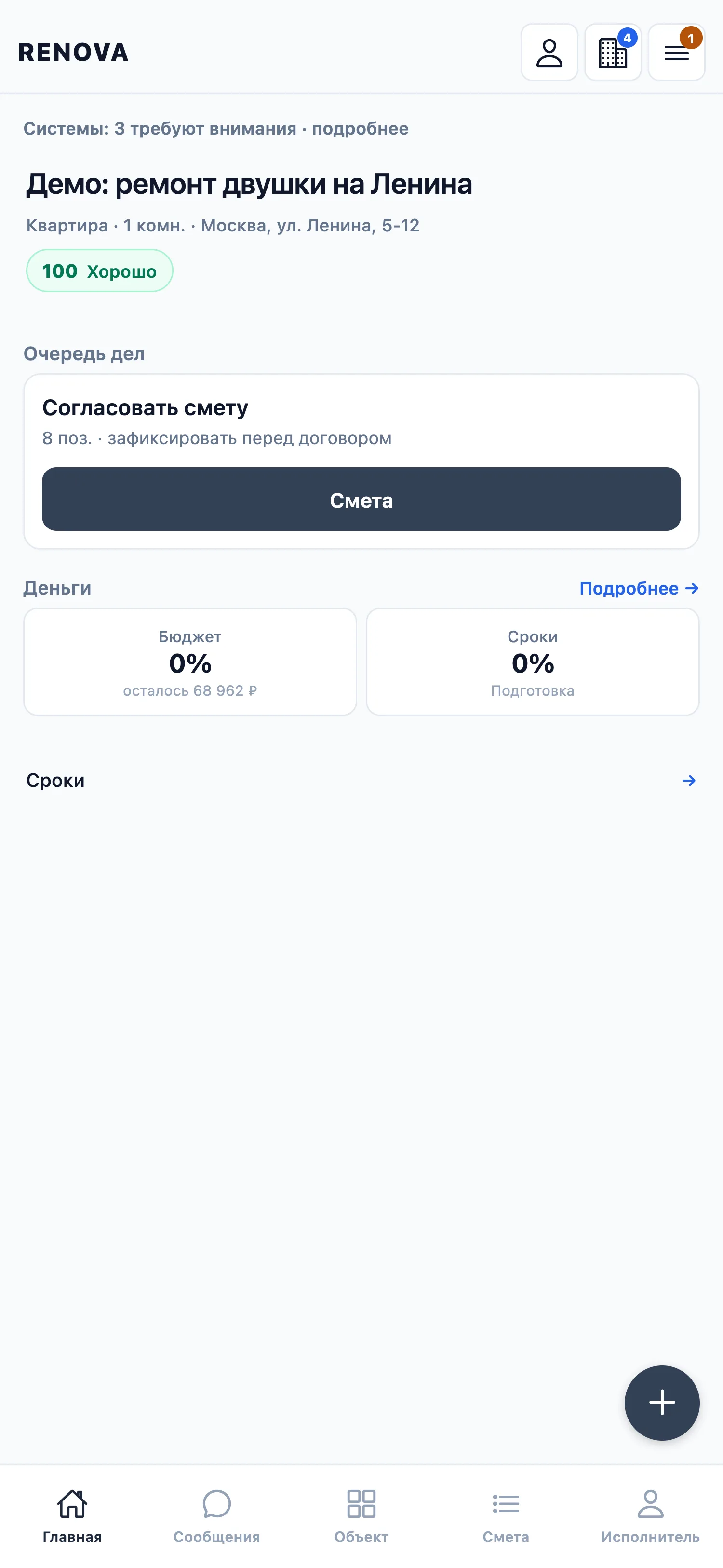
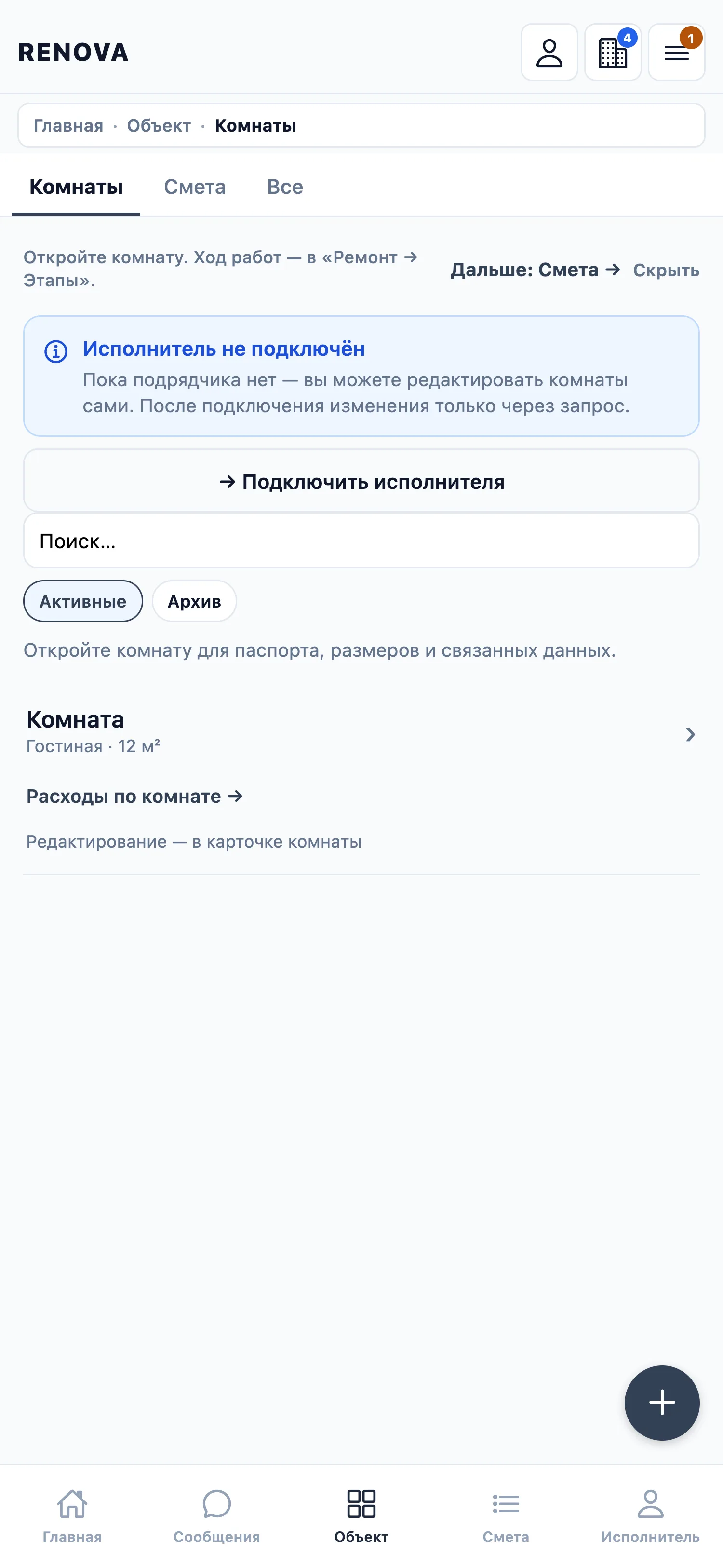
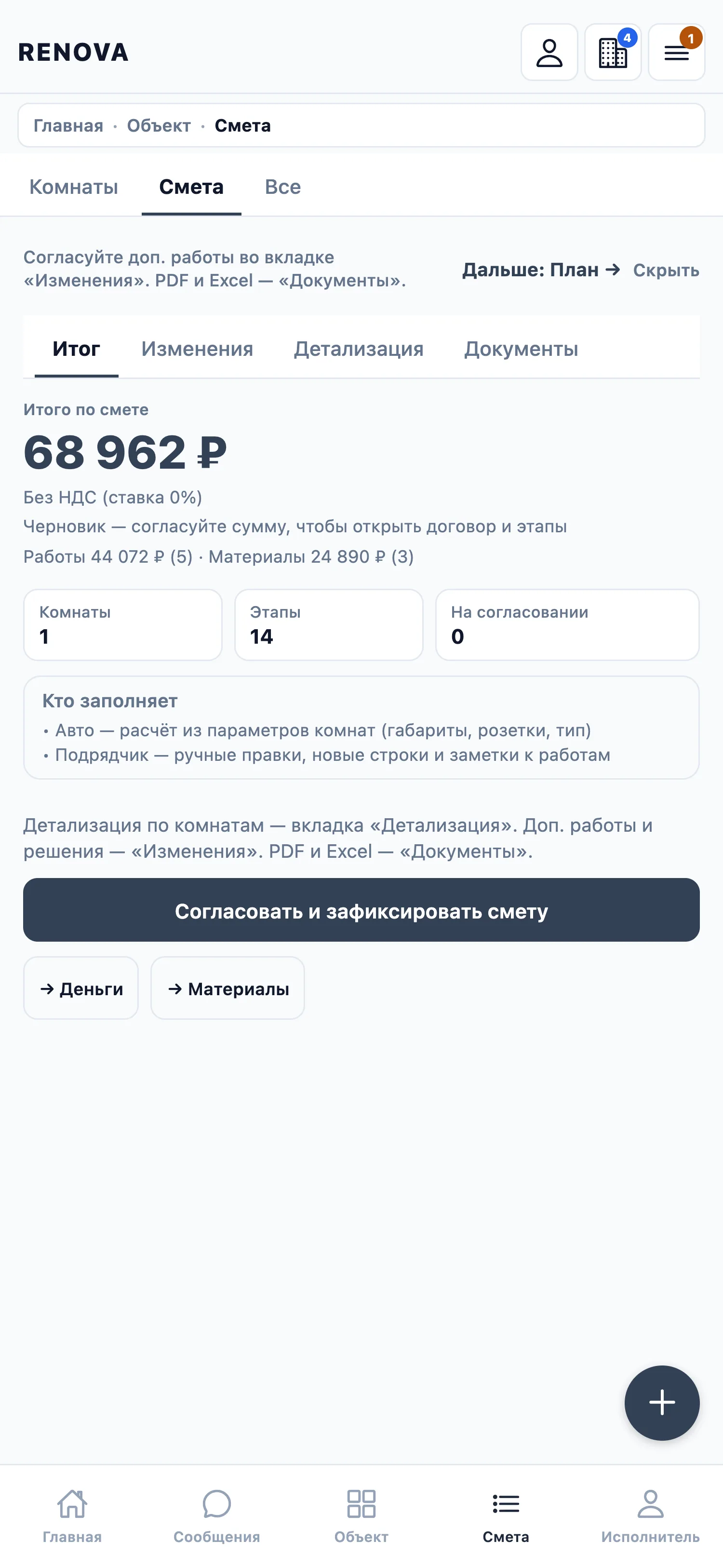
Tap a screenshot to open it full screen and swipe through the others.
07 — Stage
The MVP is built; a closed test is next
08 — Involvement
Ways to get involved
I show the system design and the roadmap in person, once a non-disclosure agreement is signed.
09 — FAQ
Frequently asked questions
- How does this differ from a spreadsheet and a messenger chat?
- It links the estimate, the stage and the payment. Payment is tied to a signed-off stage, and the estimate changes through versions.
- How is the contractor’s legal status checked?
- Via the Federal Tax Service: the receipt and self-employed status are checked at the official source, not on the contractor’s word. The code and tests are ready; live verification awaits keys.
- Do I have to move the whole renovation into the app at once?
- No. Start with one stage or one estimate and run the rest as you usually do.
- What happens if the connection is lost on site?
- Actions go into an offline queue and are sent once the connection returns; stage sign-off and stage photos, among others, work this way. Idempotent replay after a lost server response is still being finished.
- How is Renova related to Syntha and ChatX?
- It is not directly related: Renova is a separate product outside the fashion industry. The principle is the same: decisions rest on data, not on memory.
- Who pays for the app, the client or the contractor?
- I will set the payment model after the pilots: the side that gains more on site should pay.
- Can the client change the estimate alone, without the contractor’s agreement?
- Once a contractor is appointed, the estimate is locked on the contractor’s proposal with the client’s confirmation. After that, changes are raised as variation orders that both sides agree; every version is visible to both.
- Is a demo possible?
- Yes, on the working build.
Contact
Tell me who you are: a client, a contractor or crew, or a renovation company. I reply personally.